

back-end: database: convex: sync engine
< in  [mutation = function that writes data]
  < in  fr web app: user 001
> out [query    = function that reads  data]
  > out to web app: user 001
  > out to web app: user 002
Convex
= Database
  > Document   MongoDB, Firebase
  > Relational MySQL, PostGres
 json documents
 _id
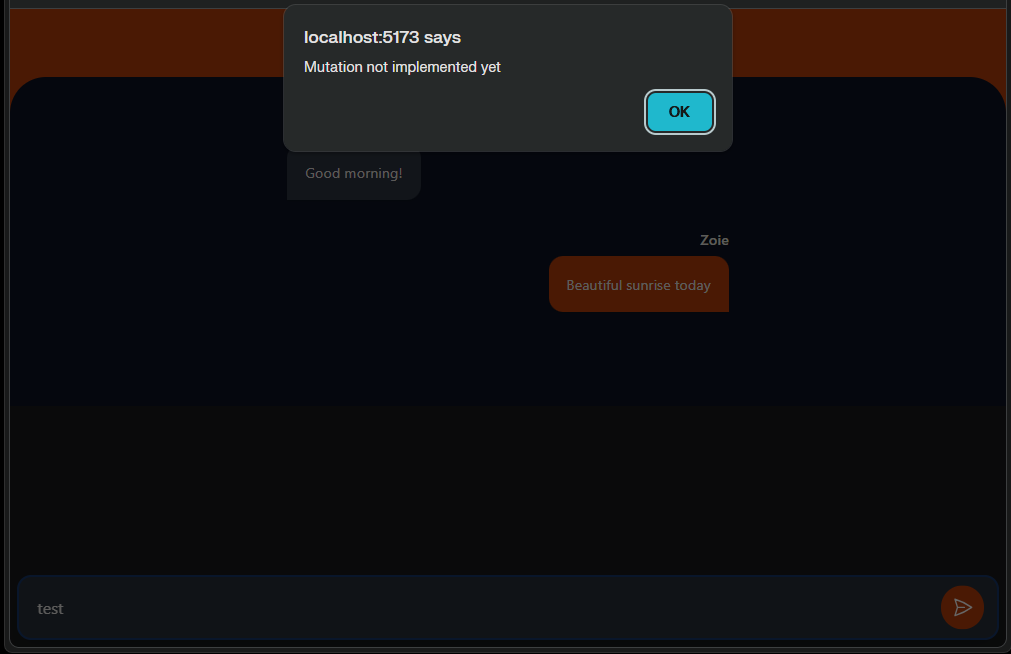
http://localhost:5173/
Send "test"
> Mutation not implemented yet
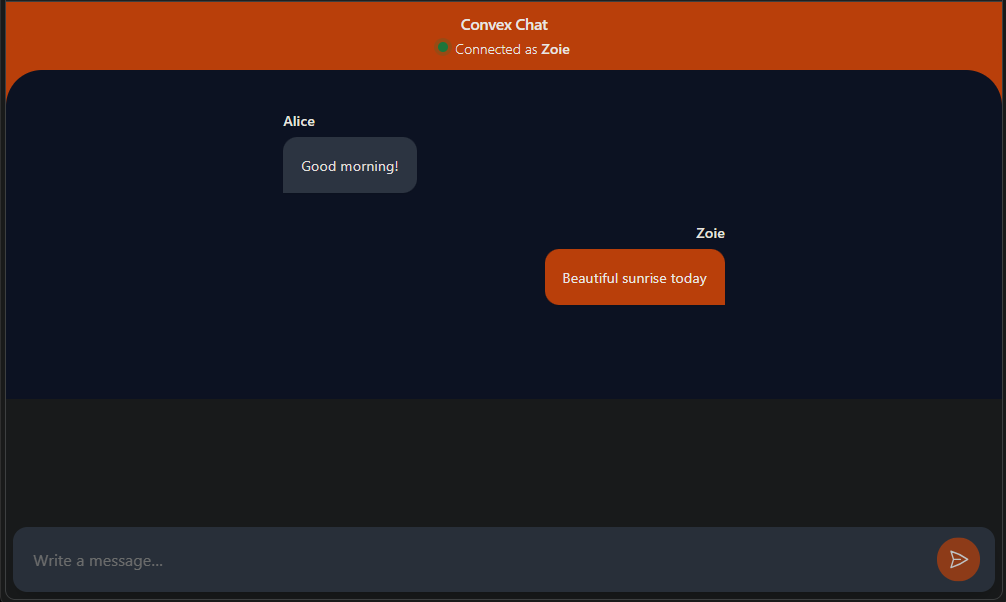
http://localhost:5173/
  VITE v6.4.2  ready in 319 ms

  ➜  Local:   http://localhost:5173/
  ➜  Network: use --host to expose
  ➜  press h + enter to show help
> convex-tutorial@0.0.0 dev
> convex dev --start "vite --open"
✔ What would you like to configure? create a new project
✔ Project name: convex-tutorial
✔ Use cloud or local dev deployment?
  For more see
  https://docs.convex.dev/cli/local-deployments local deployment (BETA)
✔ Created project convex-tutorial-41c35,
  manage it at
  https://dashboard.convex.dev/t/wylie-chan/convex-tutorial-41c35
  Temporary directory
  'C:\Users\wylie\AppData\Local\Temp' and project directory
  'convex' are on different filesystems.
  If you're running into errors
  with other tools watching the project directory,
  override the temporary directory location
  with the CONVEX_TMPDIR environment variable.
  Be sure to pick a temporary directory
   that's on the same filesystem as your project.
✔ Set up Convex AI files? (guidelines, AGENTS.md, agent skills) Yes
✔ \chat-convex_host_LENOVO2025
   \convex-tutorial\convex\_generated\ai\guidelines.md
   written
✔ AGENTS.md written
✔ CLAUDE.md written
  Installing Convex agent skills...
  (node:27844) [DEP0190] DeprecationWarning:
  Passing args to a child process with shell option true
  can lead to security vulnerabilities,
  as the arguments are not escaped, only concatenated.
  (Use `node --trace-deprecation ...`
  to show where the warning was created)
✔ Skills installed
  You're trying out the beta local deployment feature!
  To learn more, read the docs:
  https://docs.convex.dev/cli/local-deployments
✔ Downloaded Convex backend binary
✔ No default env vars to import.
✔ Configured a local deployment for
  http://127.0.0.1:3210
  and saved its:
    name as CONVEX_DEPLOYMENT
    client URL as VITE_CONVEX_URL
    HTTP actions URL as VITE_CONVEX_SITE_URL
 to .env.local

Write your Convex functions in convex\
Give us feedback at
https://convex.dev/community or support@convex.dev
View the Convex dashboard at
https://dashboard.convex.dev/d/local-wylie_chan-convex_tutorial_41c35

✔ 00:44:33 Convex functions ready! (509.23ms)
\chat-convex_host_LENOVO2025
> cd convex-tutorial
> npm run dev
cd convex-tutorial
npm run dev
❯ create a new project
? Project name: (convex-tutorial)
❯ US East (N. Virginia)
> local deployment
> Set up Covex AI files? (guidelines, AGENTS.md, agent skills) Y
From:
    "dev": "convex dev --start 'vite --open'",
To:
    "dev": "convex dev --start \"vite --open\"",
\chat-convex_host_LENOVO2025\convex-tutorial\package.json
> convex-tutorial@0.0.0 dev
> convex dev --start 'vite --open'
error: unknown option '--open''
\chat-convex_host_LENOVO2025
> cd convex-tutorial
> npm run dev
cd convex-tutorial
npm run dev
added 79 packages, and audited 80 packages in 13s

11 packages are looking for funding
  run `npm fund` for details

found 0 vulnerabilities
\chat-convex_host_LENOVO2025
> cd convex-tutorial
> npm install
cd convex-tutorial
npm install
> git clone https://github.com/get-convex/convex-tutorial.git
Cloning into 'convex-tutorial'...
remote: Enumerating objects: 1027, done.
remote: Counting objects: 100% (297/297), done.
remote: Compressing objects: 100% (111/111), done.
remote: Total 1027 (delta 246),
        reused 199 (delta 177),
        pack-reused 730 (from 2)
Receiving objects: 100% (1027/1027), 280.08 KiB | 13.34 MiB/s, done.
Resolving deltas: 100% (694/694), done.
\chat-convex_host_LENOVO2025
> git clone https://github.com/get-convex/convex-tutorial.git
git clone https://github.com/get-convex/convex-tutorial.git
v24.13.1
git version 2.45.1.windows.1
\chat-convex_host_LENOVO2025
> Right-Click
  > Open in Terminal
    > node --version
    > git -v
node --version
git -v